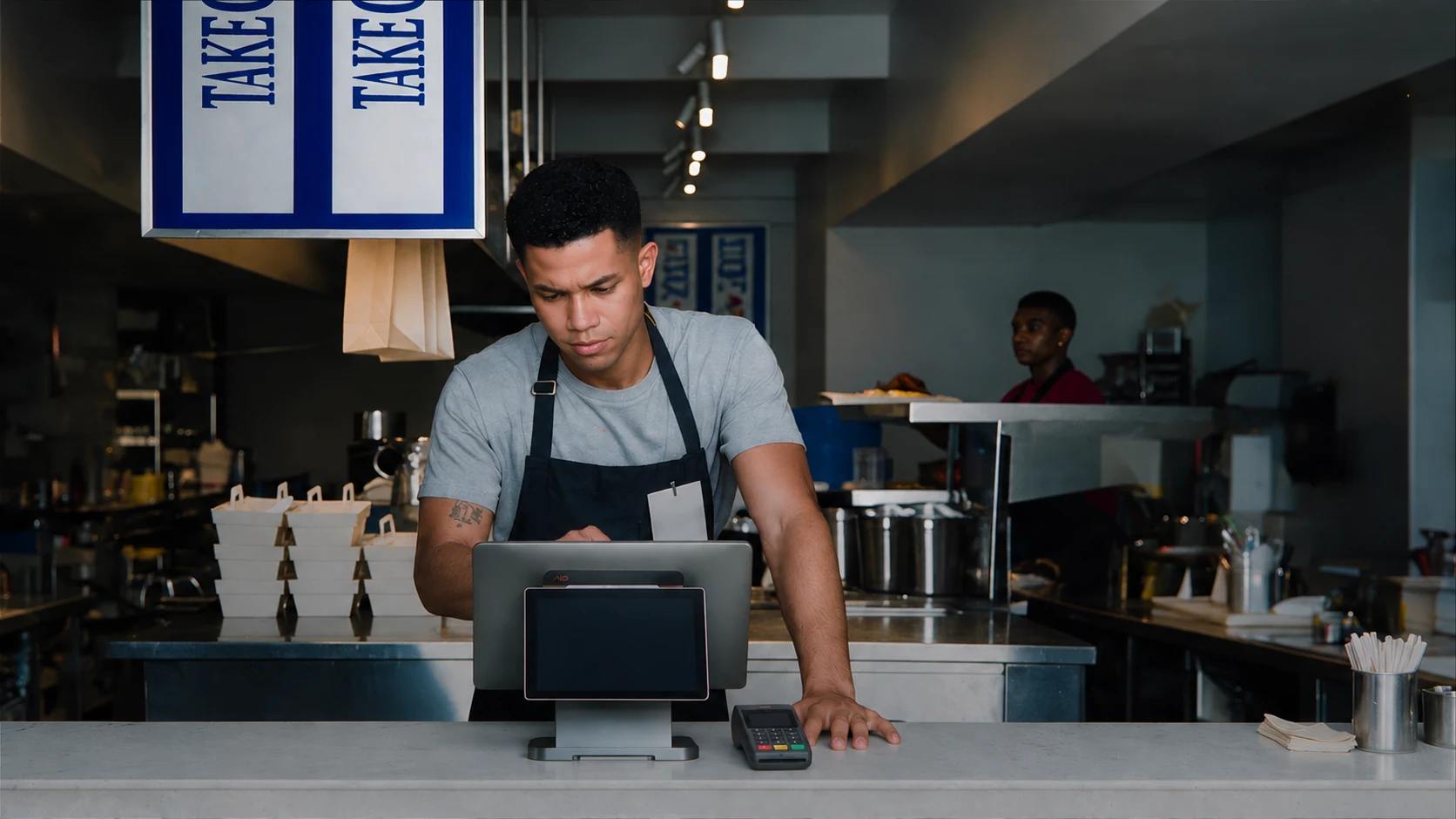
A restaurant POS (point-of-sale) system is a combination of software, hardware and payment technology that restaurants use to take orders, send them to the kitchen, process payments and record sales.
The setup for a busy takeaway counter can look different from one used for table service. A kiosk, handheld or kitchen screen may help in one setting and be unnecessary in another.
This guide explains how to follow an order through the POS, distinguish the devices and understand the sales records. It also shows which functions depend on the software and configuration.
Ordering and payment can happen through several touchpoints. In the National Restaurant Association’s 2024 survey, limited-service customers said they would use the following options if offered by a restaurant in their area.
Source: National Restaurant Association, Restaurant Technology Landscape Report 2024, p. 9. Base: adults who had visited or picked up food at a quickservice restaurant, deli or coffee shop in the previous six months. These figures describe willingness to use the options.
How a restaurant POS works during a service
A restaurant POS connects five stages: order entry, kitchen routing, payment, receipt and sales record. The order of preparation and payment depends on the service style; the POS can create and update records throughout the process.
- Order entry
Staff select menu items and modifiers, such as size, “no onion” or extra cheese. The software builds a check, the guest’s bill, and applies configured prices and taxes; in table service, staff can keep it open to add another round.
- Kitchen routing
Staff send the order, creating a ticket with preparation instructions for the configured kitchen printer or display. Routing rules can send burgers to the grill and drinks to the bar; systems with course controls can hold items until staff release them for preparation.
- Payment
The guest pays by cash, card or another supported method. When a card payment is authorized online, the payment service sends the request through the processor and card network to the issuing bank. The bank then returns an approval or decline.
- Receipt
Once the required payments are recorded, staff close the check and provide a printed or digital receipt. A guest check shows the amount owed; a receipt shows the completed sale and payment, so printing a bill alone does not mean it has been paid.
- Sales record
The POS retains the order and payment details available in the setup, such as items, modifiers, employee, time and tip. An integrated payment service links the payment result to the check; with a standalone reader, staff may need to record the card payment separately.
Restaurant POS order flow, including card authorization. A declined payment must be resolved before the check is closed.
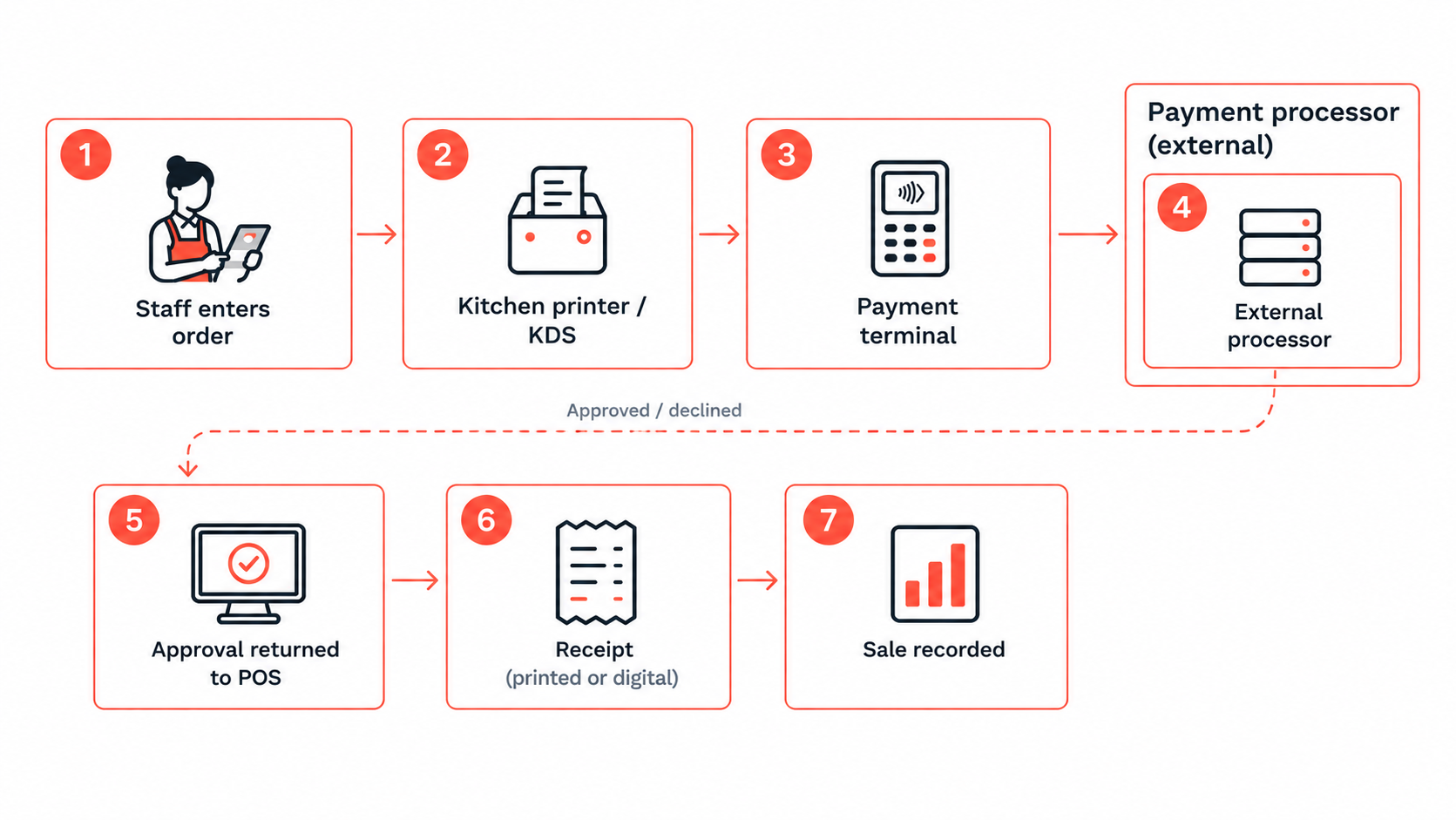
A server enters two burgers, one with “no onion.” The grill receives the preparation ticket while the check stays open. After the meal, the guest pays by card at the table and receives a receipt. The POS retains the items, modifier, payment, tip, server and time.
In quick service, guests usually order and pay before preparation. At a bar, a tab is an open check that can collect several rounds before payment; the same basic workflow supports both when the software is configured for them.
Card approval is different from settlement. Authorization is the payment approval; capture and settlement are the later processing stages that complete the financial transaction. A “paid” check is not proof that the bank deposit has arrived—Visa’s explanation of authorization, capture and settlement separates these stages.
The parts of a restaurant POS system
A restaurant POS needs software and a device for staff to use it. For in-person card payments, it also needs a supported payment-acceptance solution; that may be a separate reader, a built-in reader or a compatible mobile device. Printers, cash drawers and kitchen screens are connected devices, also called peripherals.
| Component | What it is | What it does in a service | Required or optional |
|---|---|---|---|
| POS software | The application running the system | Holds the menu, takes orders, calculates checks and records payments | Required |
| POS terminal | The staff device running POS software | Lets staff enter orders and manage checks | Staff device needed; countertop, tablet or handheld |
| Payment terminal / card reader | The device that reads a card or phone | Sends card payments for authorization | Payment capability needed for cards; a separate reader is not always needed |
| Receipt printer | A printer connected to the POS | Prints guest checks and receipts | Common; digital receipts may replace it |
| Kitchen printer | A printer at a preparation station | Prints order tickets sent by the POS | Optional; a KDS or another preparation workflow may replace it |
| Cash drawer | A drawer connected to the POS setup | Stores cash and opens for cash transactions | Common for cash service; secure cash storage is needed |
| Kitchen display system (KDS) | A screen used by kitchen staff | Shows preparation tickets; can replace or complement kitchen printing | Optional |
| Self-service kiosk | A guest ordering device | Lets guests enter their own orders | Optional |
| Handheld POS | A portable staff terminal | Lets staff take orders and, with payment support, accept payment at the table | Optional |
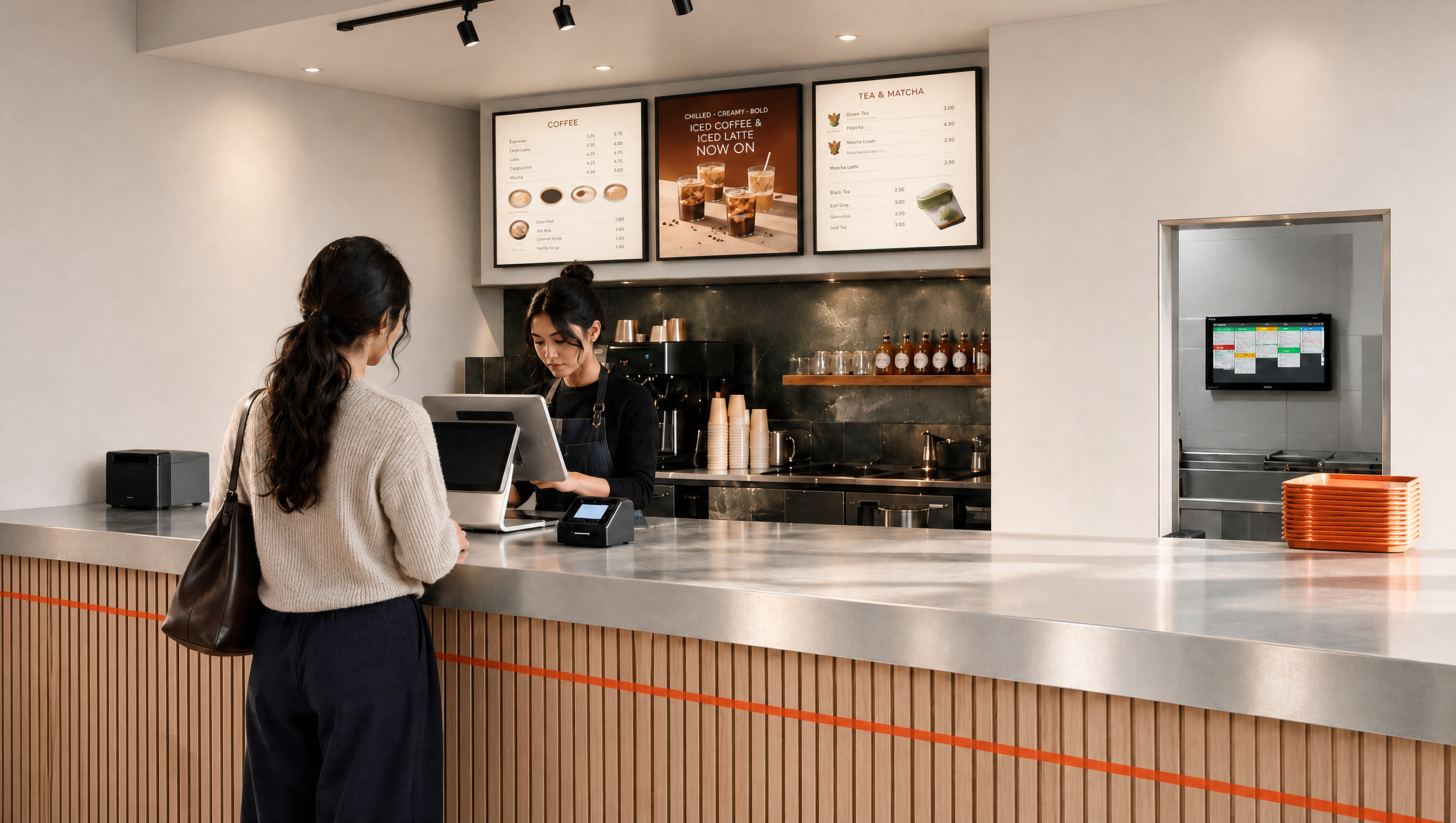
Each part has a distinct job. The counter image shows one possible arrangement; a restaurant does not need every optional device listed in the table.
POS software
POS software holds the menu, takes orders, calculates checks and records sales and payments. A modifier can be an included choice, such as burger doneness, or a priced addition, such as extra cheese; the menu setup determines whether it changes the bill.
Restaurant software may also support open checks, table numbers, split bills and manager approvals. These are software capabilities to confirm, rather than functions supplied by a touchscreen alone.
POS terminal
A POS terminal is the device staff use to run the POS software: often a countertop touchscreen, tablet or handheld. The device provides the screen and input; the software supplies the menu and check-management functions.
In the payments industry, “POS terminal” can also mean a card-payment device. In this article, it means the staff device, which may have payment hardware built in.
Payment terminal or card reader
A payment terminal reads a guest’s card or mobile wallet for payment. The PCI Security Standards Council’s point-of-interaction guidance describes devices that capture payment card data during transactions; a payment processor handles payment transactions and routes requests and results through the payment system.
A reader can be separate from the staff terminal or built into it. Some supported smartphones can also accept contactless payments through an appropriate solution, as covered by PCI SSC’s mobile-payment standards; an ordinary POS app does not automatically give every device that capability.
Receipt and kitchen printers, cash drawers
A receipt printer produces guest bills and receipts; a kitchen printer produces preparation tickets. A cash drawer stores notes and coins and can open through the POS or a connected printer. The connection method and automatic opening behavior depend on the hardware setup.
A kitchen ticket needs item names and preparation instructions, while a guest receipt needs sale and payment details. Printing a receipt does not necessarily send a kitchen ticket; each output must be configured for its job.
Kitchen display systems, kiosks and handhelds
These optional devices extend where an order can be entered or viewed:
- A kitchen display system (KDS) shows preparation tickets on a kitchen screen. Depending on the software, staff can mark items complete and see waiting orders; printers can still be used alongside it.
- A self-service kiosk lets guests choose items and modifiers. When connected to the POS, its orders can follow the restaurant’s kitchen-routing and sales-record workflow; payment support depends on the kiosk setup.
- A handheld POS lets staff enter orders away from the counter. With supported payment capability, it can also take payment at the table, so order entry and card acceptance can share one device.
POS system vs POS terminal vs payment terminal
A POS system is the complete setup; a POS terminal is the staff device; a payment terminal is the card-payment device. One physical device can perform both terminal roles, but the jobs remain different.
| Dimension | POS system | POS terminal | Payment terminal |
|---|---|---|---|
| What it is | The complete setup of software and connected devices | A staff device running POS software | A device for reading a card or phone |
| Main job | Connect orders, kitchen routing, payments and records | Give staff access to POS software | Send card payments for authorization |
| Takes orders? | Yes | Yes, through POS software | Usually no, as a standalone reader |
| Accepts card payments? | Yes, when configured with a supported payment solution | With built-in, connected or supported mobile payment capability | Yes, through a processor |
| Keeps sales records? | Yes, through POS software | Through the software, rather than the device alone | Payment transaction records; usually no item-level order detail |
| Works on its own? | Yes, as a complete configured setup | Needs POS software and any required connections | Can take payments without a restaurant POS if configured for standalone use |
For example, a café with a standalone card reader can accept card payments without a restaurant POS. Staff may still need a separate way to record the menu items and communicate orders to the kitchen; a card-payment total does not explain what the guest ordered.
What a restaurant POS records
A restaurant POS can link menu items, order type, employee, time and payment details to a check. The available fields depend on the software, configuration and connected services; cash tips, manual changes or orders entered outside the system may need separate recording.
| Record | Example | Used for |
|---|---|---|
| Items and modifiers | Burger with “no onion”; paid extra cheese | Track item sales and keep preparation instructions |
| Order type and table | Dine-in order assigned to a table | Match orders to tables, pickup or delivery |
| Employee | Server who entered the order | Attribute sales and actions to staff |
| Time | Time the order was entered and paid | Compare sales by hour and shift |
| Payment type | Cash, card or another supported method | Match payments with sales and deposits |
| Tips | Tip added to a card payment | Record tips for reporting and payout |
| Discounts and comps | A discount or complimentary item, with approval where configured | Track price reductions and free items |
| Voids and refunds | An item removed from a check or a payment returned | Review corrections and returned payments |
| Taxes | Sales tax applied to a check | Support tax reporting |
Owners and managers use these records to understand service and reconcile payments. The useful question is not just “How much did we sell?” but “Which items sold, when, through which channel, and with what adjustments?”
- Item and modifier records show what sold and how it was ordered. A burger sale with “no onion” is different information from a card payment for the check total.
- Time and order-type records help compare busy periods, dine-in sales and pickup demand. Sales timestamps do not measure kitchen preparation time unless the system also captures preparation events.
- Adjustment records help managers review discounts, complimentary items and corrections. An item void removes or cancels an item; a refund returns money for a previous payment. Payment voids and item voids are different actions, and provider terminology varies.
- Payment records help compare the POS totals with cash counts and processor reports. Deposits can differ because of fees, refunds, tips or settlement timing; the payment total and bank deposit are not interchangeable.
Sales records are not a physical stock count. Ingredient depletion from menu sales needs recipe or ingredient links and inventory functions; deliveries, waste and stock counts must also be recorded. Our restaurant inventory management overview explains how those additional records fit together.
Restaurant POS System vs Cash Register
According to Merriam-Webster, a cash register records sales and usually includes a money drawer. A restaurant POS also coordinates orders and kitchen routing; table management and split checks depend on the software. The comparison below uses a basic register, since more advanced models may offer additional functions.
| Capability | Cash register | Restaurant POS |
|---|---|---|
| Records sales | Yes | Yes |
| Holds cash | Usually has a built-in drawer | Commonly uses a connected drawer for cash service |
| Card payments | Usually needs a separate payment terminal | Uses connected or built-in payment hardware |
| Item-level records | Varies; basic registers may record totals or departments | Records menu items and modifiers |
| Kitchen tickets / KDS | Usually no built-in kitchen routing | Routes orders to kitchen printers or screens |
| Table and check management | Usually limited or unavailable | Available in systems configured for table service |
| Split checks | Usually limited or handled manually | Supported where the software includes it |
| Reporting | Basic totals; capabilities vary | Detailed sales records and reports; depth varies |
For example, a basic register can total a bill and open a drawer. A restaurant POS configured for table service can also keep the table’s check open, send “no onion” to the grill and split the final bill by seat. Those differences matter most when the order needs coordination beyond payment.
Who uses a restaurant POS
Servers, cashiers and bartenders use the POS to enter orders and take payments; kitchen staff receive those orders; managers and owners use the records.
- Servers: Enter orders, add modifiers, manage tables and take payments.
- Cashiers: Take counter orders, accept payments and handle receipts and cash.
- Bartenders: Enter drinks and manage tabs, which are checks kept open until the guest pays.
- Kitchen staff: Read preparation tickets on printers or kitchen screens.
- Managers: Approve discounts, voids and refunds, and check shift sales.
- Owners: Review sales to plan menus, stock, staffing and prices.
Individual logins let the POS associate actions with staff, while permissions control who can perform them. A cashier may be allowed to take payments but need a manager’s approval for a refund; shared logins make that action history less useful.
How to evaluate a restaurant POS
Evaluate a restaurant POS against a typical shift in your restaurant. The useful test is whether staff can complete their work, managers can review the results and the setup fits your operating budget.
- Service fit: identify what your service requires. A counter-service restaurant may prioritize fast order entry, while table service may need open checks, seat assignments and bill splitting. Confirm that those functions are included in the software you are considering.
- Ease of use: let the people who will use the POS try it. Check how many steps it takes to find an item, correct a mistake or finish a payment, and whether staff can read the screens during service.
- Hardware compatibility: confirm which terminals, payment devices, printers and kitchen screens are supported. Check where they will sit, how they connect and whether the setup can accommodate an additional device later.
- Total cost: compare software, hardware, payment processing, installation, training and support together. Ask which functions cost extra, whether any equipment is leased and what contract or cancellation terms apply.
- Reliability and access: ask how the provider handles outages, device failures and urgent support requests. Confirm what data you can export, how records are recovered and which actions require a manager’s permission.
Restaurant POS FAQs
Does a restaurant POS need the internet?
Many systems need an internet connection for cloud services and card-payment processing. Some continue selected order-entry or local kitchen tasks offline, but payment acceptance and later synchronization depend on the provider. Confirm exactly what works during an outage; “offline mode” does not mean every function remains available.
What are the main types of restaurant POS systems?
Restaurant POS systems can be cloud-based, on-premise or hybrid, depending on where software and records are managed. They can also use countertop terminals, tablets or handhelds; device type and deployment type describe different aspects of the setup.
How much does a restaurant POS system cost?
Costs depend on software subscriptions, hardware, payment processing, installation, support and any added modules. Compare the complete setup and contract rather than the terminal price alone; our restaurant POS cost guide explains the main categories.
Is a POS system hard to learn?
Ease of use depends on the software and menu setup. Ask whether training is included and whether staff have a practice environment before launch, so they can learn without changing live orders.
Can I keep my existing POS hardware?
Only if the new provider supports the device models, operating systems and connections. Request a compatibility list for your existing terminal, printers and payment device before assuming they can be reused.
Will I lose my sales records if a POS terminal breaks?
Not necessarily. Recovery depends on where the records are stored, which transactions have synced or been backed up, and whether a replacement device can reconnect. Confirm the provider’s recovery process, especially for records saved only on the damaged device.
Can I export POS data to another system?
Some systems offer report downloads or integrations, but available fields and formats vary. Ask for a sample export and confirm whether you can still retrieve your historical records after the service ends.
Can a restaurant POS accept online orders?
Yes, when online ordering is built in or connected through an integration. Confirm whether orders, modifiers and payments reach the POS and kitchen automatically; otherwise staff may need to enter them again.
Disclaimer
This article is for informational purposes only and does not constitute legal, financial, or compliance advice. Product features, pricing, and terms are subject to change. Verify details directly with each vendor. Third-party names and products are referenced for context only and do not imply endorsement or affiliation unless explicitly stated.